

Using Flex in a Plugin
Introduction
Flex usages, be in twig or in code, will be only covered for the purpose of this introduction. To understand the power and flexibily of Flex, please read our dedicated Flex documentation.
Flex allows custom Objects CRUDS, as single object or collection, and provides an extensive APIs usable from your plugin code or templates.
Admin UI can be added easily, either using standard templates or your own customized listing or forms (or else).
Requirements
Grav 1.7 or later is required. For the purpose of this documentation, we will be using the grav+admin installation, make sure you have it up and running to follow the steps below. See the installation documentation to get it ready.
Create your plugins
As it is possible to create a plugin, with or without flex from scratch, to ensure all latest changes are in place, we highly recommend to use the devtools to generate the skeleton and basic features for you:
To do so, we will use the devtools CLI:
bin/gpm install devtools
To create a new plugin using the devtools, the following command is used, the plugin name is myflexplugin:
grav-admin bin/plugin devtools new-plugin
and fill up the questions using the following answers, the important part is to choose a plugin prepared for flex:
 Enter Plugin Name:
 > myflexplugin

 Enter Plugin Description:
 > A little Flex plugin test

 Enter Developer Name:
 > [email protected]

 Enter GitHub ID (can be blank):
 > gravcms

 Enter Developer Email:
 > [email protected]

 Please choose an option:
  [blank] Basic Plugin
  [flex ] Basic Plugin prepared for custom Flex Objects
 > flex

 Enter Flex Object Name:
 > book

 Please choose a storage type:
  [simple] Basic Storage (1 file for all objects) - no media support
  [file  ] File Storage (1 file per object)
  [folder] Folder Storage (1 folder per object)
 > folder


SUCCESS plugin myflexplugin -> Created Successfully

Path: /home/pierre/project/grav/grav-admin/user/plugins/myflexplugin

Please run `cd /home/pierre/project/grav/grav-admin/user/plugins/myflexplugin` and `composer update` to initialize the autoloader
On success, we need now to install the dependencies, if any, for our new plugin:
cd /home/pierre/project/grav/grav-admin/user/plugins/myflexplugin
composer update
On success, the following output should be displayed:
Loading composer repositories with package information
Updating dependencies
Nothing to modify in lock file
Writing lock file
Installing dependencies from lock file (including require-dev)
Nothing to install, update or remove
Generating autoload files
No installed packages - skipping audit.
and go back to the root folder of the grav-admin install:
cd -
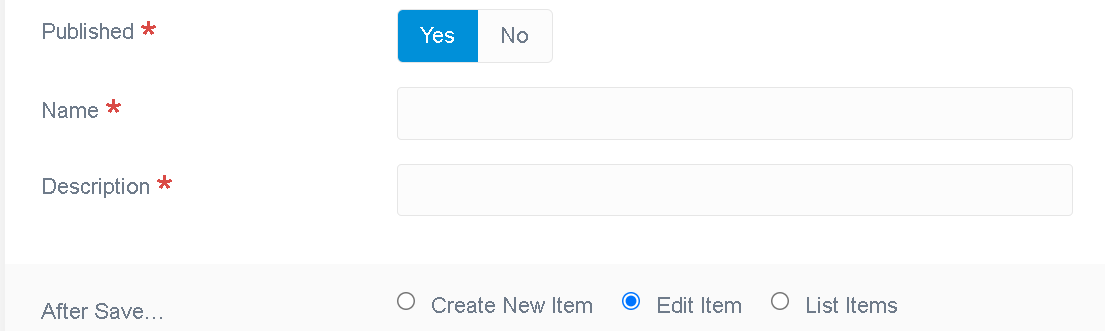
The devtools generated a very basic flex object, made of a name and a description, and its collection. The admin UI already allows one to list these books objects, create, edit or delete them, without having written a single line of code.
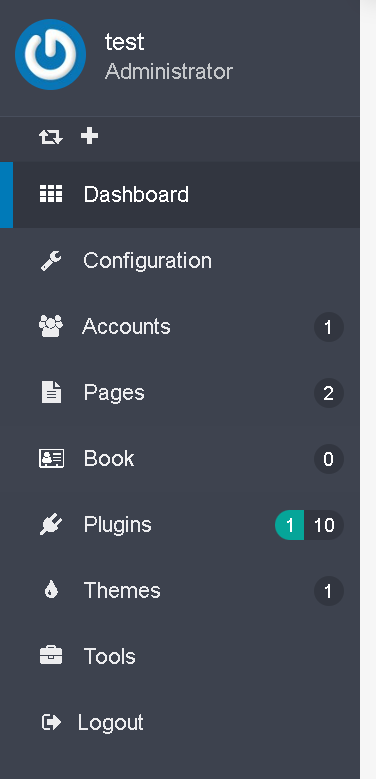
A new entry in the left side menu has been added:
The default edit form looks like:
You should also see the various folders and files related to your plugin and its flex object 'book'.
What is done where
The plugin folder should look like this:
 1../grav-admin/user/plugins/myflexplugin
 2├── CHANGELOG.md
 3├── LICENSE
 4├── README.md
 5├── blueprints
 6│   └── flex-objects
 7│       └── book.yaml
 8├── blueprints.yaml
 9├── classes
10│   └── Flex
11│       └── Types
12│           └── Book
13│               ├── BookCollection.php
14│               └── BookObject.php
15├── composer.json
16├── composer.lock
17├── languages.yaml
18├── myflexplugin.php
19├── myflexplugin.yaml
20└── vendor
21    ├── autoload.php
22    └── composer
23        ├── ClassLoader.php
24        ├── InstalledVersions.php
25        ├── LICENSE
26        ├── autoload_classmap.php
27        ├── autoload_namespaces.php
28        ├── autoload_psr4.php
29        ├── autoload_real.php
30        ├── autoload_static.php
31        ├── installed.json
32        ├── installed.php
33        └── platform_check.php
Flex Object definition
The key file is the blueprints definition. It is where the schema of this flex object will be defined, along with the numerous options to customize pretty much anything about it.
In our plugin, the book blueprints can be found at user/plugins/myflexplugin/blueprints/flex-objects/book.yaml.
IMPORTANT The blueprint for each flex object in your plugin (or main install /blueprints) must be in blueprints/flex-objects/ folder or they won't be found.
The schema is defined using the Form section of this blueprints. Whether or not the admin UI forms will be used, this section defines the properties of this flex object.
We won't cover all options here, but focus on getting our book object implement. The extensive Flex blueprints documentation will guide you to go deeper and customize it.
The schema below defines the two properties:
 1form:
 2    validation: loose
 3    fields:
 4        published:
 5            type: toggle
 6            label: Published
 7            highlight: 1
 8            default: 1
 9            options:
10                1: PLUGIN_ADMIN.YES
11                0: PLUGIN_ADMIN.NO
12            validate:
13                type: bool
14                required: true
15        name:
16            type: text
17            label: Name
18            validate:
19                required: true
20        description:
21            type: text
22            label: Description
23            validate:
24                required: true
plugin hooks
the myflexplugin.php is the usual core definition for the implementations of the pluging, hooks etc.
These parts are required to enable flex:
 1public $features = [
 2    'blueprints' => 0,
 3];
 4
 5/**
 6 * @return array
 7 *
 8 * The getSubscribedEvents() gives the core a list of events
 9 *     that the plugin wants to listen to. The key of each
10 *     array section is the event that the plugin listens to
11 *     and the value (in the form of an array) contains the
12 *     callable (or function) as well as the priority. The
13 *     higher the number the higher the priority.
14 */
15public static function getSubscribedEvents(): array
16{
17    return [
18        'onPluginsInitialized' => [
19            // Uncomment following line when plugin requires Grav < 1.7
20            // ['autoload', 100000],
21            ['onPluginsInitialized', 0]
22        ],
23        FlexRegisterEvent::class       => [['onRegisterFlex', 0]],
24    ];
25}
The other files are standard and well documented in earlier sections of the plugins documentations. We won't cover them here.
The classes folder contains the classes used for the book flex object and the book flex collection. These are the classes where you can add custom methods that would be available on every object or collection instances. See add custom methods to a flex object.
Modify the flex object schema
Let add a field to our object, say a datetime field representing the publication's date of this book, it can be achieved by simply adding the pub_date fields to the blueprints:
 1form:
 2    validation: loose
 3    fields:
 4        published:
 5            type: toggle
 6            label: Published
 7            highlight: 1
 8            default: 1
 9            options:
10                1: PLUGIN_ADMIN.YES
11                0: PLUGIN_ADMIN.NO
12            validate:
13                type: bool
14                required: true
15        name:
16            type: text
17            label: Name
18            validate:
19                required: true
20        pub_date:
21            type: datetime
22            label: Description
23            validate:
24                required: true
The default edit form now shows the date input fields for the publication date:

The list of all fields types available can be found here
Add custom method to the flex object
The current flex book object, user/plugins/myflexplugin/classes/Flex/Types/Book/BookObject.php, only implements the GenericObject (using traits):
 1<?php
 2
 3declare(strict_types=1);
 4
 5/**
 6 * @package    Grav\Common\Flex
 7 *
 8 * @copyright  Copyright (c) 2015 - 2021 Trilby Media, LLC. All rights reserved.
 9 * @license    MIT License; see LICENSE file for details.
10 */
11
12namespace Grav\Plugin\Myflexplugin\Flex\Types\Book;
13
14use Grav\Common\Flex\Types\Generic\GenericObject;
15
16/**
17 * Class BookObject
18 * @package Grav\Common\Flex\Generic
19 *
20 * @extends FlexObject<string,GenericObject>
21*/
22class BookObject extends GenericObject
23{
24
25}
Let add a method to get the summary of the book, using the site's delimiter for the summary:
 1<?php
 2
 3declare(strict_types=1);
 4
 5/**
 6 * @package    Grav\Common\Flex
 7 *
 8 * @copyright  Copyright (c) 2015 - 2021 Trilby Media, LLC. All rights reserved.
 9 * @license    MIT License; see LICENSE file for details.
10 */
11
12namespace Grav\Plugin\Myflexplugin\Flex\Types\Book;
13
14use Grav\Common\Flex\Types\Generic\GenericObject;
15
16/**
17 * Class BookObject
18 * @package Grav\Common\Flex\Generic
19 *
20 * @extends FlexObject<string,GenericObject>
21*/
22class BookObject extends GenericObject
23{
24    public function getSummary() {
25        $delimiter = \Grav\Common\Grav::instance()['config']['site']['summary']['delimiter'] ?? '===';
26        $summary = explode($delimiter, $this->content);
27        return $summary[0] ?? '';
28    }
29}
Now we can call this method anywhere where a book flex object is used, for example, in a template:
 1{% set books = grav.get('flex').collection('book') %}
 2{% for book in books  %}
 3    <h1>{{ book.header.title}}</h1>
 4    <p>{{ book.getSummary()}}</p>
 5{% endfor %}
The ::getSummary method can be used in any PHP code as well.
The same can be done in the collection class, user/plugins/myflexplugin/classes/Flex/Types/Book/BookCollection.php. For example to add friendly method to search using non trivial queries. Indeed the collection already provides all common collections methods. It can be handy to add some helpers if an object has many different fields were the standard collection methods could be error prone.